Skip to content
GA Panel

Platform

Everything you need to run your server, in one panel.

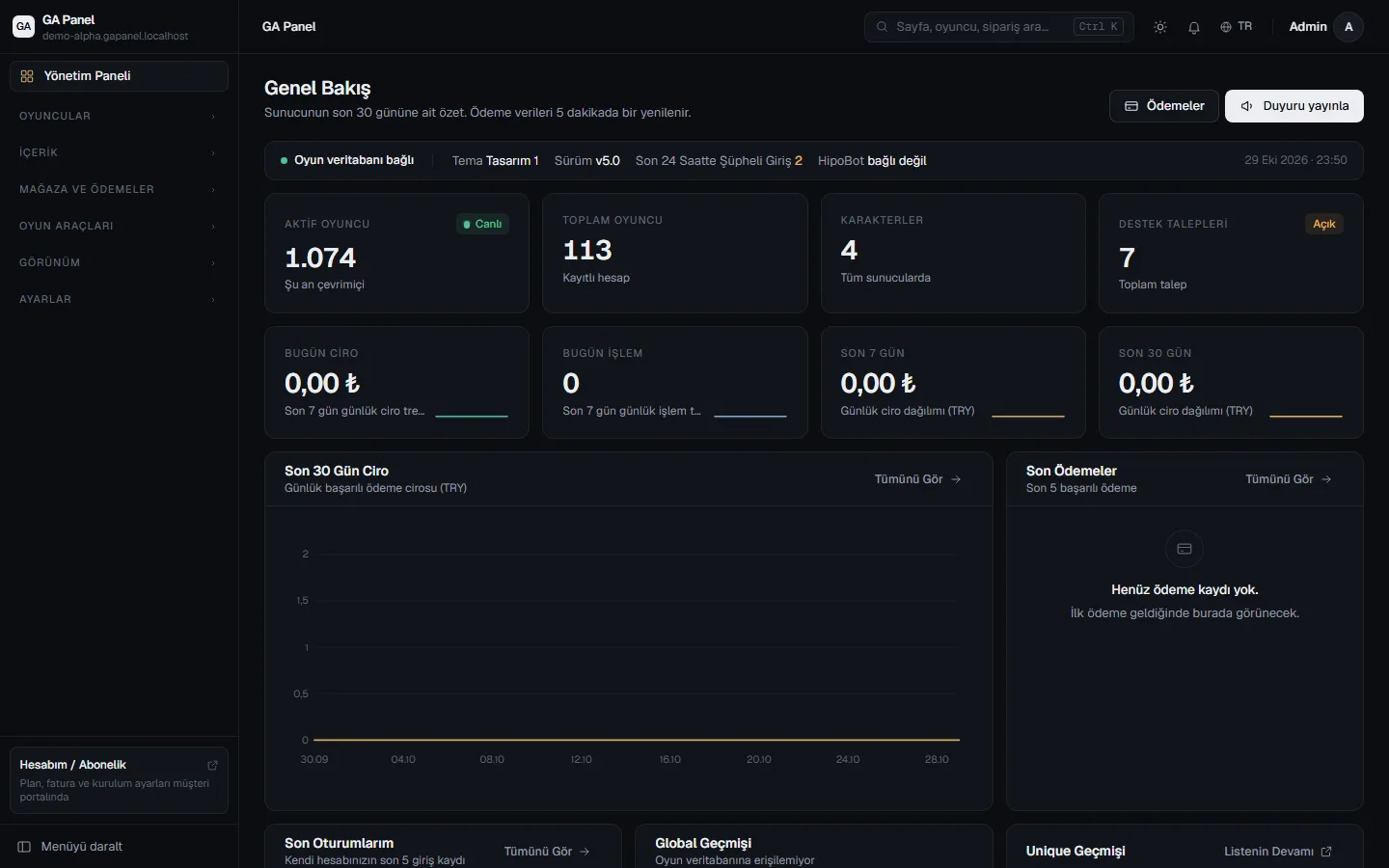
The Admin Panel is where you manage your players, payments, content and team. The Customer Panel is for your installations, invoices and wallet.

GAPanel Admin Panel overview screen

Section by section

What's in the Admin Panel?

The list below is the panel's actual menu, not a marketing summary.

Players 01

  • Account search and editing; granting silk and credit
  • Character search, editing and character map
  • Giving characters items, silk, titles, skill points and gold
  • Inventory, storage and pet viewer
  • Removing job and guild penalties
  • Guild management

Content 02

  • News and scheduled publishing
  • Sliders and sponsor areas
  • Silkroad launcher notice
  • Support tickets and bulk closing
  • Page settings, privacy and terms of use

Shop and payments 03

  • Payment providers and payment history
  • Payment triggers: your own SQL after a successful payment
  • WebMall products, sales history and refunds
  • Revenue cards and charts
  • Discord alert when a payment cannot be delivered

Game tools 04

  • Rank operations and custom rankings
  • Global message history
  • Event calendar and Discord announcements
  • HipoBot Discord bot
  • Live world map and teleporting

Appearance 05

  • Theme selection and per-theme settings
  • CSS editor and menu builder
  • Cursor sets and custom code injection
  • SRO icons and .ddj conversion

Settings and security 06

  • Site, membership, fortress, map and game file settings
  • CAPTCHA, Google Analytics and live chat
  • Admins, roles and permissions, two-factor authentication
  • Audit log (CSV) and session logs
  • SMC log and cache management

Real screens

Don't buy before you see it.

The images on this page were taken from GAPanel itself.

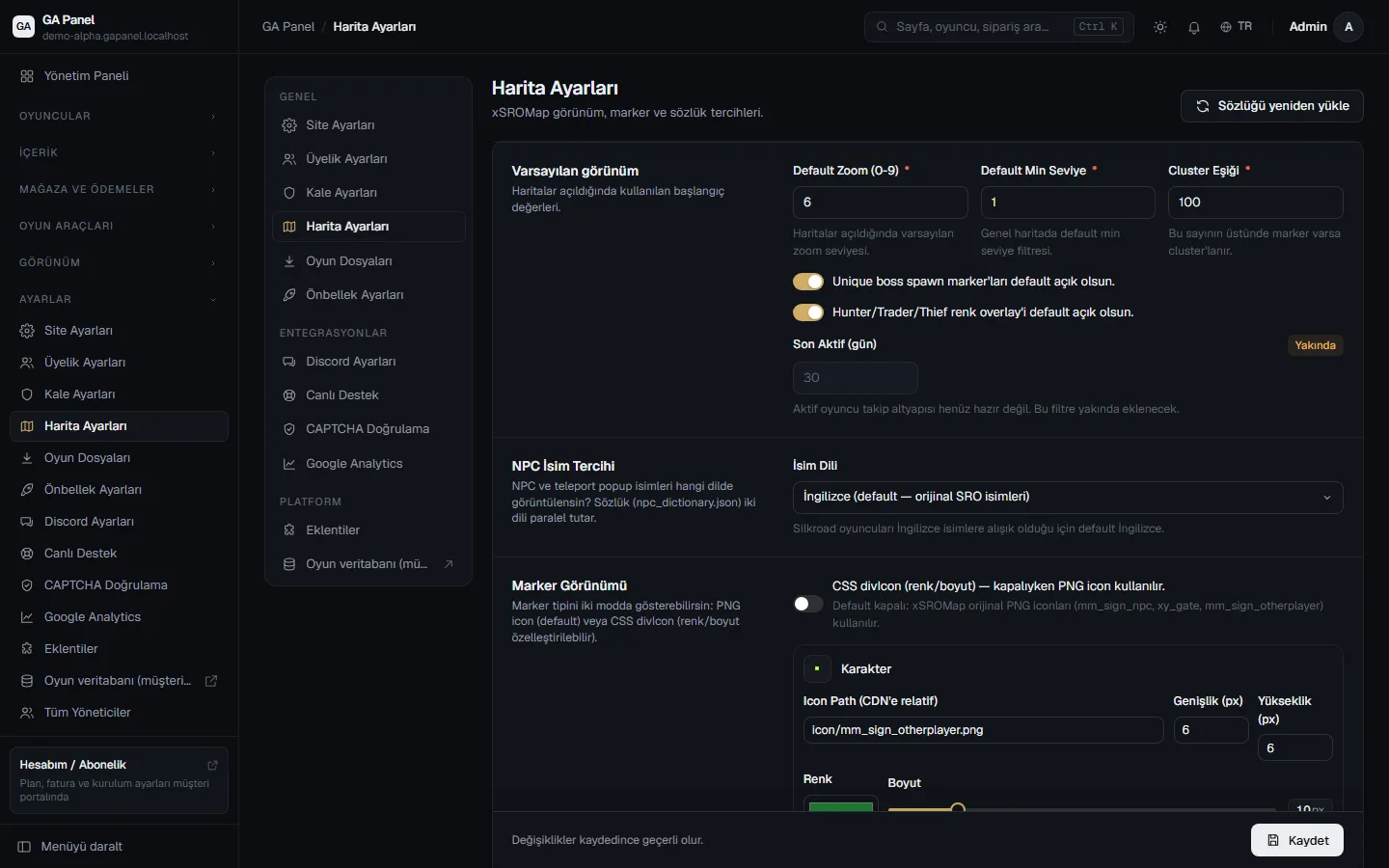
Settings that know Silkroad
Settings that know Silkroad Map, fortress, game files and integrations on one settings screen.
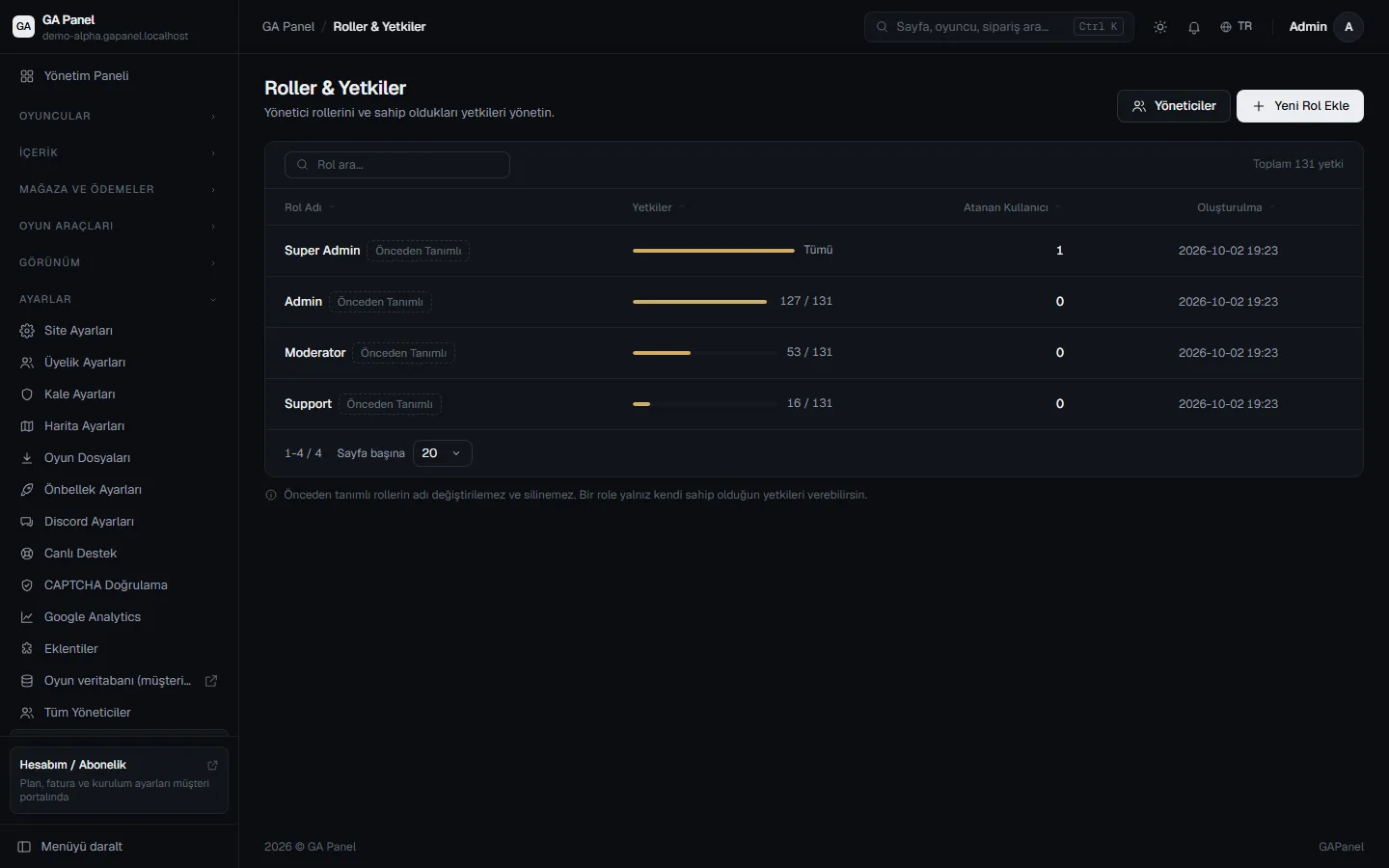
Only the access your team needs
Only the access your team needs Define roles and permissions section by section; an admin cannot take over a more privileged account.
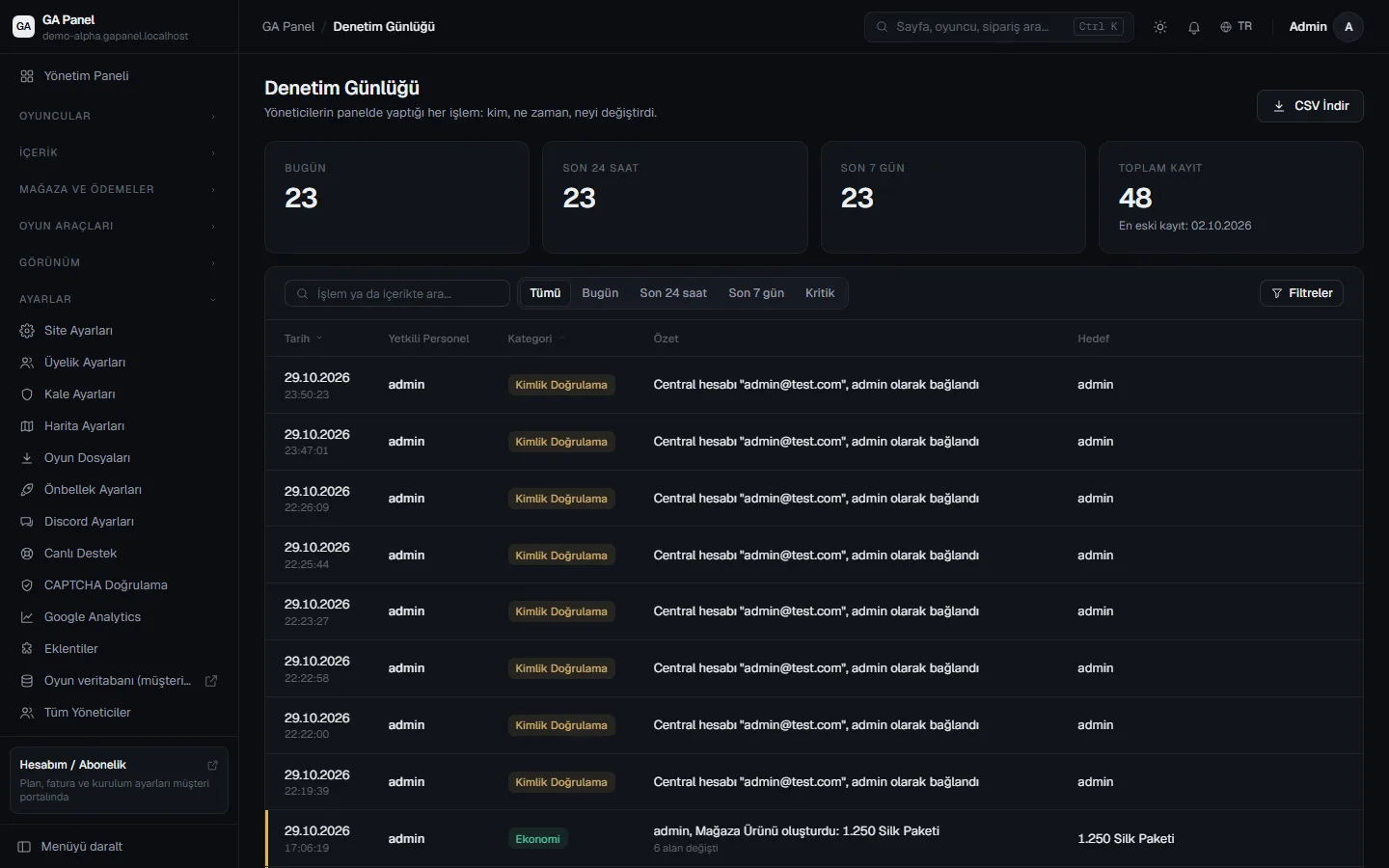
Who did what, and when
Who did what, and when Every action in the panel is logged; export the records as CSV.

Built for Silkroad

Not a generic panel; written for Silkroad.

  • Map

    Live world map

    See characters on the map and teleport them with a double click.

  • Character

    Inventory viewer

    Inspect inventory, storage and pet contents without logging into the game.

  • Icons

    SRO icons

    Upload a .ddj file and it is converted; missing icons are reported.

  • Event

    Event calendar

    Reads from the game's own schedule and announces events on Discord before they start.

  • Rank

    Unique and fortress rankings

    Player, guild, level, unique, live unique and fortress rankings.

  • Shop

    WebMall

    Looks like the in-game F10 mall; items that cannot be delivered are refunded.

  • Game

    Launcher notice

    Write the notice shown in the Silkroad launcher from the panel.

  • Version

    vSRO and iSRO

    Silk and balance operations work with both versions.

Customer Panel

Your subscription, invoices and installations in one place.

The Customer Panel, which you sign in to with your GAPanel account, handles the business side of your game server.

  • Manage your installations, orders and services in one place
  • Save your billing details and download receipts as PDF
  • Top up your wallet; pay for plans with your balance or by card
  • Connect your own domain and track its SSL status
  • Switch to the Admin Panel in one click, without a password
  • Protect your account with two-factor authentication

Launch your server today.

Create your account, choose a plan, and your Player Site and Admin Panel will be ready in minutes.