
Infrastructure and security
Hosting, backups and security are on us. You focus on your server.
GAPanel runs in the cloud: every installation has its own database, is backed up every night and has its certificate renewed automatically. You protect panel access with enterprise-grade tools.
Why the cloud
A panel installed on your own server, or GAPanel?
Panels installed on your own server usually leave hosting, backups and security to you. GAPanel takes them on.
| Subject | Panel on your own server | GAPanel |
|---|---|---|
| Hosting and setup | Servers, web server and file uploads are your job | On us The wizard tests and connects your game database |
| Panel database | Usually on the same machine as the game server | Isolated cloud database The panel works even if the game database goes down |
| Backups | Taken by hand, or not at all | Every night, offsite Seven daily and four weekly copies |
| SSL and domain | You install and renew the certificate yourself | Automatic Subdomain right away, your own domain after verification |
| Updates | You download files and overwrite the old ones | Delivered by us No licence files |
| Admin security | Depends on the panel | 2FA, roles, audit log Session logs and Discord alerts |
Cloud infrastructure
Servers, backups and certificates.
-
Isolated database per installation
One installation's data is never visible to another.
-
Nightly offsite backups
Seven daily and four weekly copies, kept in separate storage.
-
Automatic SSL and your own domain
Your installation goes live on a subdomain right away; once you verify your domain, the certificate is issued automatically.
-
Updates from us
No licence files, file uploads or scripts to run.
-
Images via CDN
Theme and content images are served from a fast content delivery network.
-
A panel independent of the game database
The Admin Panel still opens when the game database is unreachable.
Account and panel security
Even when working with a team, you know who did what.
-
Two-factor authentication
For Admin Panel and Customer Panel accounts, with recovery codes.
-
Roles and permissions
Grant your team access section by section; an admin cannot take over a more privileged account.
-
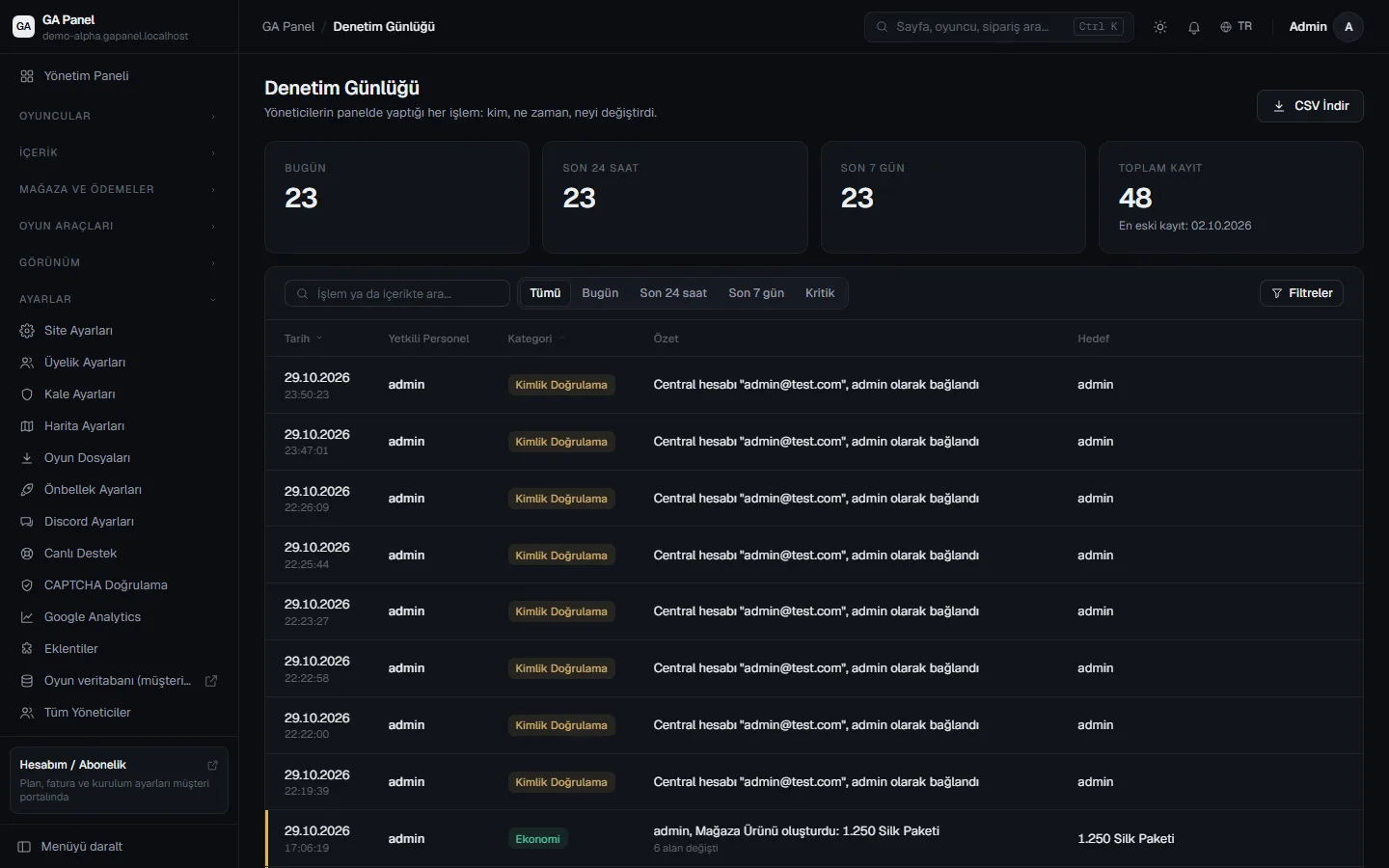
Audit log
Every action in the panel is logged and can be exported as CSV.
-
Session logs
Admin and player sign-ins; suspicious sign-ins appear on the overview.
-
Login protection
CAPTCHA, attempt limits and protection against password-spraying attacks.
-
Discord security alerts
Critical security events land in your team's Discord channel instantly.
Audit log
Every action in the panel is on record.
See who did what and when; export the records as CSV. Admin and player sessions are tracked separately.
Launch your server today.
Create your account, choose a plan, and your Player Site and Admin Panel will be ready in minutes.